
Is Your Google Business Profile Actually Engineered to Capture Leads Directly From Maps?
Local SEO, Google Business Profile, AI Automation
If you live in APIs, event streams, and response-time SLAs, you’ll see a Google Business Profile (GBP) the same way you see a production microservice: if it’s not observable, responsive, and automated, it’s leaking value. In 2026, your GBP is no longer a static listing—it’s an interactive edge service sitting directly in front of high-intent local traffic on Google Maps and Search.
1. Is Your Google Business Profile Optimized to Capture Leads Directly From Maps?
When a homeowner types “roof repair near me” or a patient searches “med spa near me,” they’re not browsing; they’re in decision mode. The Google Local 3-Pack that appears at the top of Maps and Search is essentially a ranked list of “who gets the next job.” According to recent local SEO data, nearly half of all Google searches now carry local intent, and “near me” queries exceed 200 million monthly in the U.S. alone (seoscaleup.com, shopify.com).
A modern, optimized GBP goes far beyond name, address, and phone:
Complete, accurate core data (categories, NAP, hours, attributes, services, products) (digimanmarketing.com)
High-quality, recent photos and videos (interior, exterior, staff, work in progress)
Active Posts (offers, events, updates) and a well-maintained Q&A section
Review velocity, review responses, and messaging enabled and monitored
In 2026, Google also uses Gemini AI to generate review summaries and AI Overviews, rewarding profiles that are complete, accurate, and frequently updated (digimanmarketing.com). If you treat GBP as a “set-and-forget” listing, you’re effectively running outdated production code with no monitoring.
2. The Shift to “Zero-Click” Map Searches
Zero-click searches are now the norm. Users get everything they need—reviews, photos, hours, directions, call and message buttons—directly in the SERP or Maps panel. AI Overviews and local panels often answer the question before a website ever loads (listuro.com).
Practically, this means your GBP is the transaction surface. If all you expose there is a phone number that often goes to voicemail, you’ve created a high-friction funnel. From an engineering mindset, you’ve built an endpoint with no graceful fallback and no retry logic. The user will simply “fail over” to your competitor’s listing in one tap.
3. Activating Google Business Messages (and Why Manual Handling Fails)
Google Business Messages (Chat) adds a prominent “Chat” / “Message” button to your Search and Maps listing. It converts anonymous map users into real-time conversations: “Do you service my neighborhood?”, “Can I book a consultation this week?”, “What do you charge for emergency repair?”.
The catch: Google tracks your response times. Slow responses degrade your “listing health,” and if you consistently leave messages hanging, Google may automatically deactivate messaging to protect user experience. That’s the equivalent of your uptime SLO being breached and the platform throttling your traffic. For busy local teams constantly on jobsites, manual message handling does not scale.
💡 Pro Tip for Technical Teams: Treat Google Messages as an event stream, not an inbox. If there’s no consumer service (AI or human) with a hard response-time SLA, don’t flip the switch—or you’ll hurt rankings instead of helping them.
4. How AI Automates Your Local Map Conversions (Architecture View)
At Northshore AI Solutions, we plug conversational AI directly into your GBP pipeline so your listing behaves like a 24/7 edge microservice: it receives requests (messages, calls, reviews), processes them with strict latency targets, and writes results to downstream systems (CRM, calendar, ticketing).
Instant Response to Map Inquiries
When a user taps “Message” on Maps and asks, “Do you service the Northshore area for emergency plumbing?”, our agent replies in seconds, not minutes. That near-real-time response keeps them from bouncing back to the list of competitors.
Smart Review Building & Interaction
Reviews are a massive ranking and conversion factor—businesses in top local positions average hundreds of reviews, and each 10 new reviews can bump conversion rates by ~3% (shopify.com). Our systems can:
Trigger review requests after visits or completed jobs
Draft and post localized, keyword-rich review replies that signal activity and relevance to Google’s algorithm
Direct Scheduling via Chat
The AI agent can answer FAQs, check real-time availability, and write directly to your calendar—turning a casual “Can I book a consultation for laser hair removal this week?” into a confirmed appointment without human intervention.
Behind the scenes, this simply means your Google messages, missed calls, and website chats are all routed into one smart assistant that can answer questions and help people book time with you automatically. You don’t need to see or understand any of the underlying technical wiring for it to work—and your customers just experience fast, friendly responses around the clock.
This is the kind of integration that turns a static listing into an automated local conversion engine.
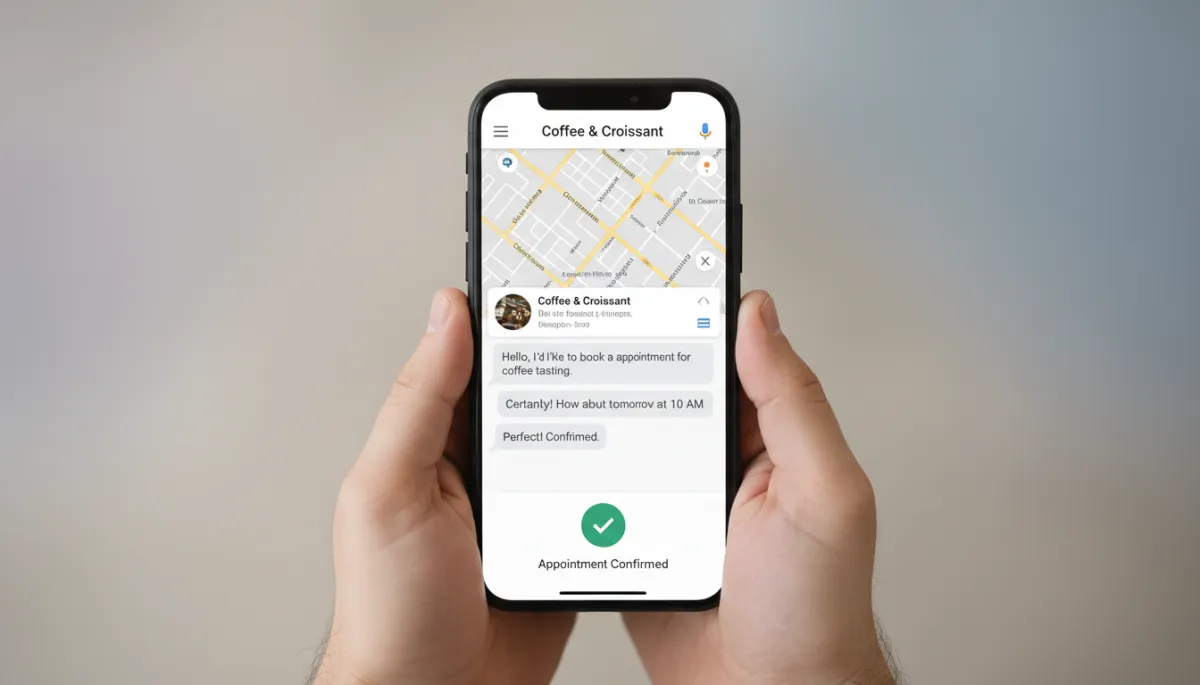
Real-time chat plus automated scheduling converts casual map searches into booked revenue.
5. Three Reasons Your Map Listing Might Be Leaking Revenue Right Now
1. Unmonitored Google DMs
Many owners enable messaging and then never open the dedicated Messages UI. From a systems perspective, that’s like wiring an event bus with no consumers—messages pile up, SLAs are violated, and Google quietly routes users elsewhere. Every ignored DM is a high-intent user choosing the next pin on the map.
2. Slow Response Signals to Google’s Algorithm
Google tracks how fast you respond to messages and reviews. Consistently slow responses send a negative signal that can erode your position in the Local 3-Pack over time (brightlocal.com). In engineering terms, poor latency and reliability lower your “quality score” with the platform.
3. No Backup for Busy Phone Lines
When a user taps “Call” from Maps and hits voicemail or a busy signal, they almost never retry. They tap the next listing. A simple automated missed-call text-back workflow—“Sorry we missed you, how can we help?”—can rescue a meaningful slice of that lost demand.
In plain terms: if your phones are tied up, you still want people to feel acknowledged and taken care of. A quick automatic text that lets them reply with their question or request can keep that lead alive instead of sending them straight to a competitor.
6. Claim Your Dominance in Local Search (Engineer It, Don’t Hope for It)
Your Google Business Profile should not be a static directory entry; it should be a proactive lead-generation microservice. With Google rolling out Gemini integration, AI review summaries, and deeper analytics connections to GA4 (blog.google, support.google.com), the businesses that win local search are the ones that treat GBP like a live system: monitored, instrumented, and continuously improved.
At Northshore AI Solutions, we:
Audit and fully optimize your GBP data, photos, posts, and attributes for 2026’s AI-driven local algorithms
Integrate conversational AI agents with Google Business Messages, reviews, and missed calls to enforce sub-minute response SLAs
Wire everything into your existing CRM and calendar so map traffic turns into scheduled, trackable revenue
📌 Key Takeaway: Local dominance isn’t about guessing Google’s algorithm; it’s about designing a system where every Maps interaction—message, call, review—has an automated, reliable path to a booked job.
Summary of This Post
The Map Real Estate: Your Google Business Profile is now the primary digital front door for high-intent local search traffic, especially within the Local 3-Pack and AI Overviews.
The Response Challenge: Turning on Google Messages without automation is risky; slow or missed responses can hurt user experience and local rankings.
The AI Advantage: Conversational AI agents can respond instantly, nurture reviews, and book appointments directly from Maps 24/7, turning your GBP into a true lead engine.
Ready to See What Your Google Maps Listing Can Really Do?
If you’d like to treat your Google Business Profile like the production system it actually is—and wire it up with the same level of automation and observability you’d expect from any critical service—Northshore AI Solutions can help you design and deploy the stack.
Book a demo with Northshore AI Solutions today and see how many local leads your Google Maps listing can generate automatically—before your competitors refactor their own.
Next blog on deck: Topic #7 — How Much Cash Is Hidden Inside Your CRM’s “Dead” Lead Database?
